Record a transaction
Choose a transaction type, enter the amount and add a description.
LOCAL BOOKKEEPING FOR JAPANESE SOLE PROPRIETORS
Bookkeeping, made approachable.
Record transactions, review your books and keep your ledger on your own PC. v1.1.0 RC1 adds a fixed-asset register, limited depreciation calculations and provisional transfer references.
itch.ioUS$5BOOTH¥800One-time purchase
v1.1.0 RC1 · Japanese interface · yen bookkeeping for 2026. Full validation of all 2026 tax rules is not complete.
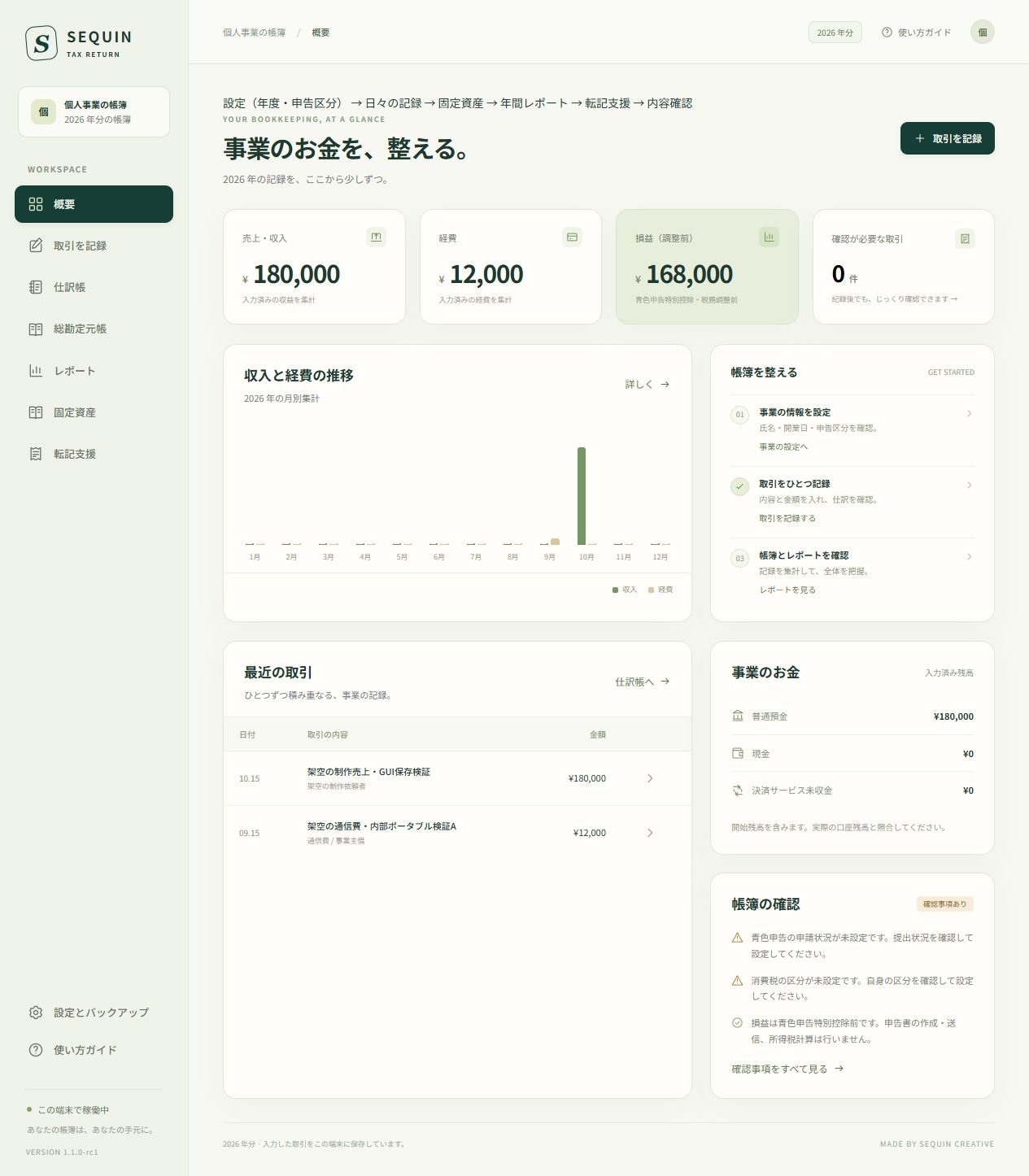
YOUR BOOKS, AT A GLANCE
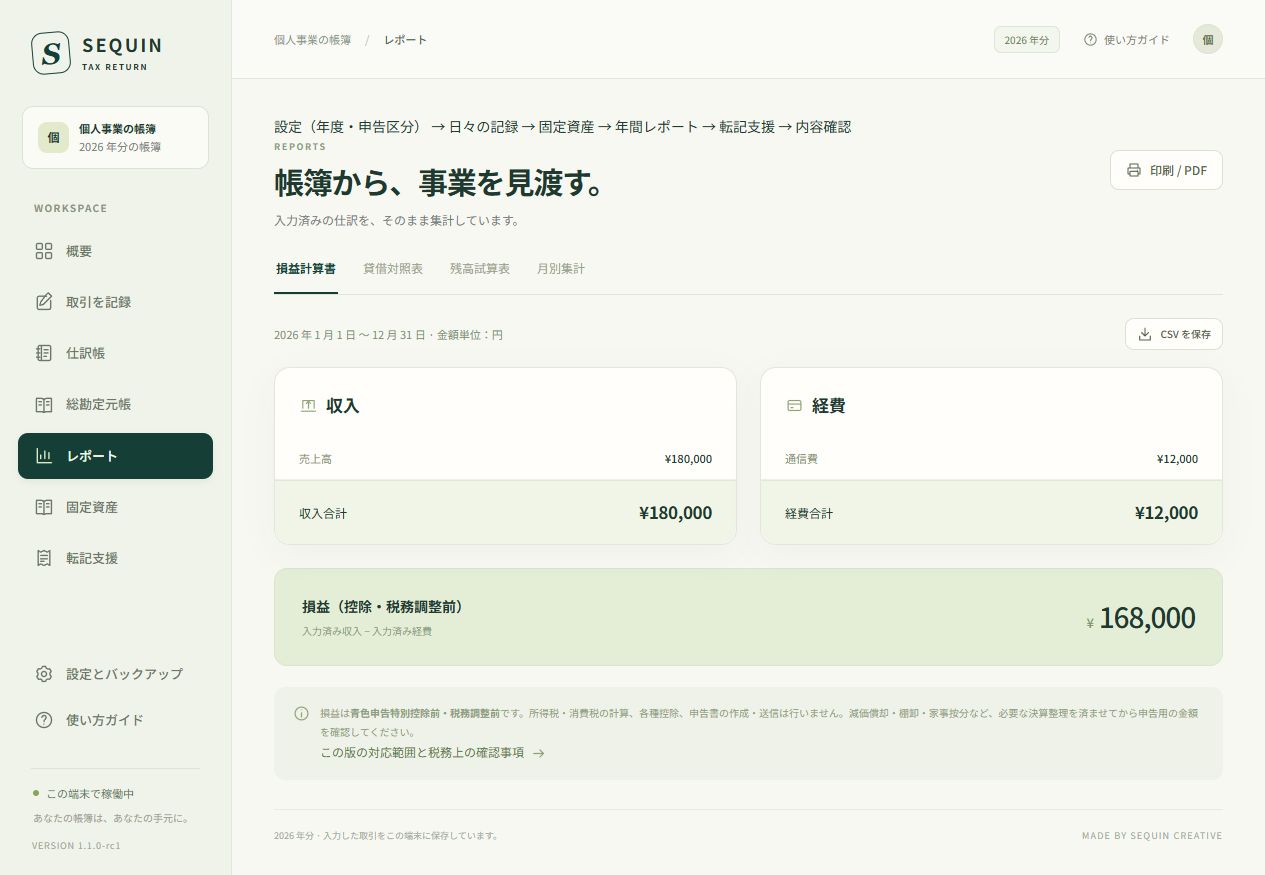
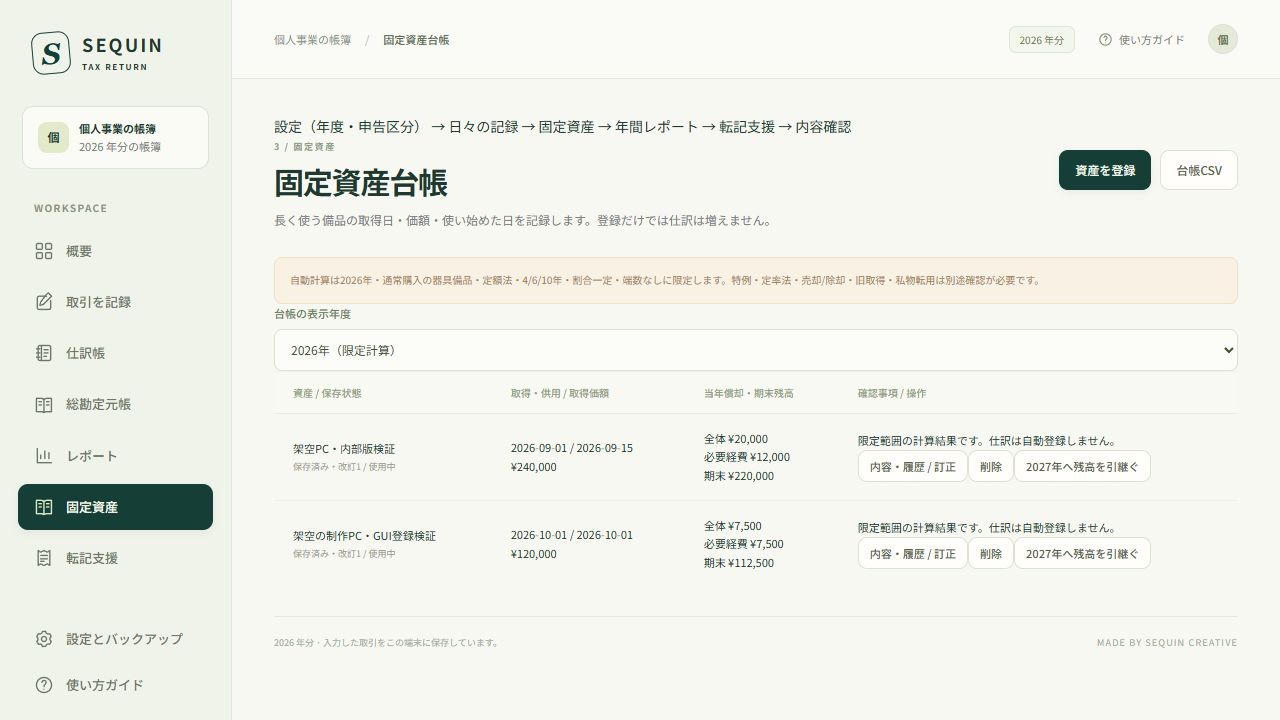
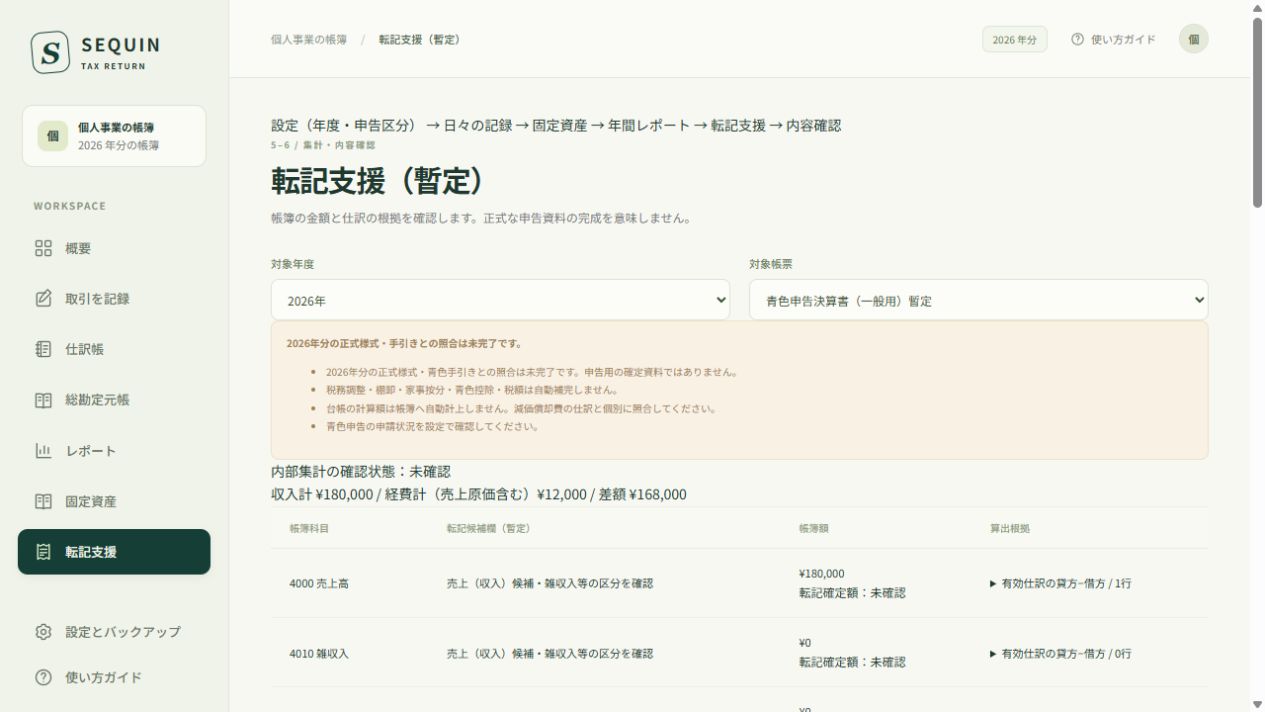
Real screens from v1.1.0 RC1 using fictional demonstration transactions and assets. No customer data is shown.
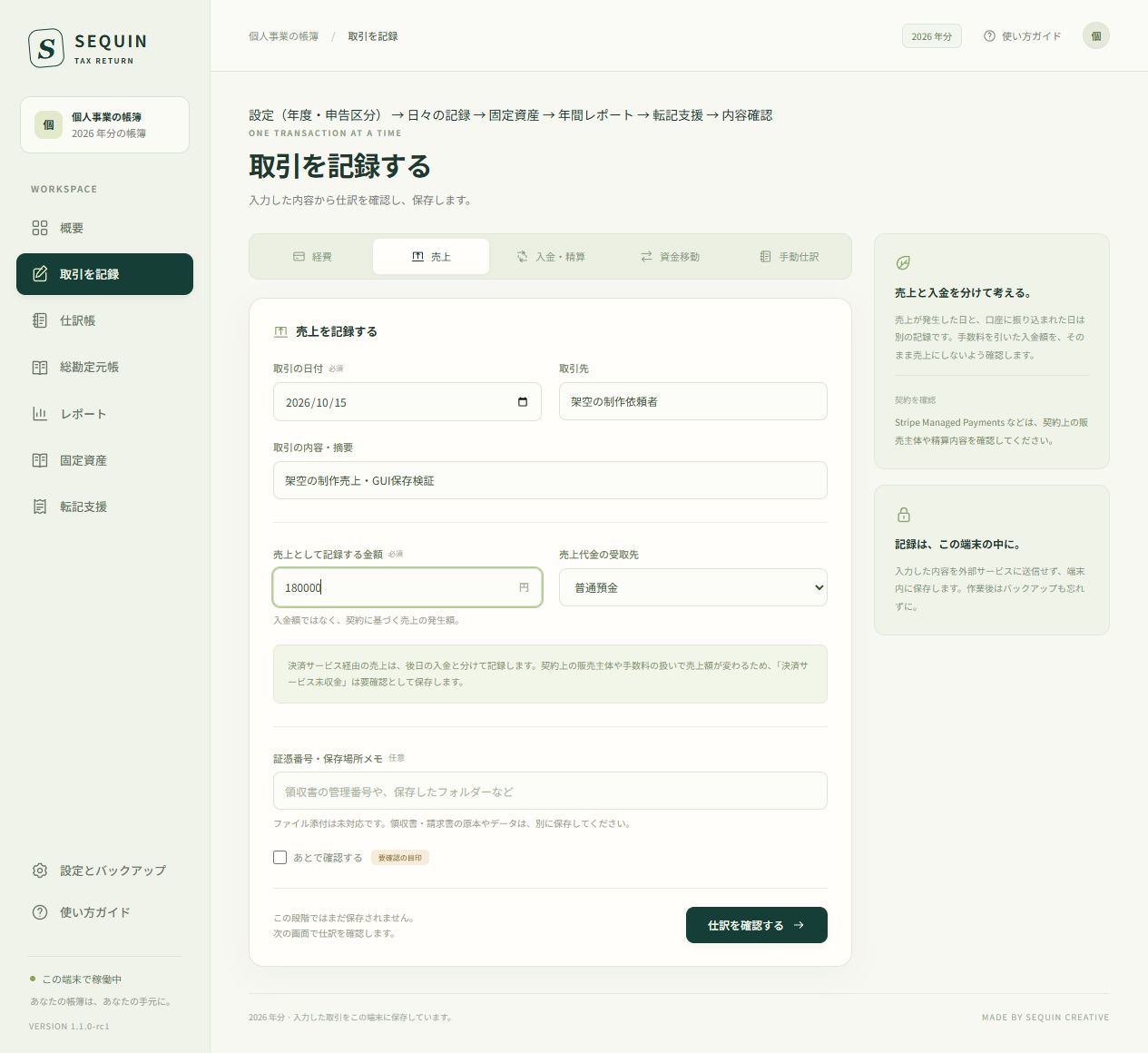
A SIMPLE DAILY ROUTINE
Choose a transaction type, enter the amount and add a description.
Review the proposed journal entry before saving. Your journal and ledger follow from the entries you confirm.
Review your reports, export your records and gather the information you need for filing in Japan.
THE TOOLS FOR YOUR RECORDS
INSIDE TAX RETURN
A clear form for sales, expenses, receivable collections and more. Check the journal entry before it becomes part of your books.
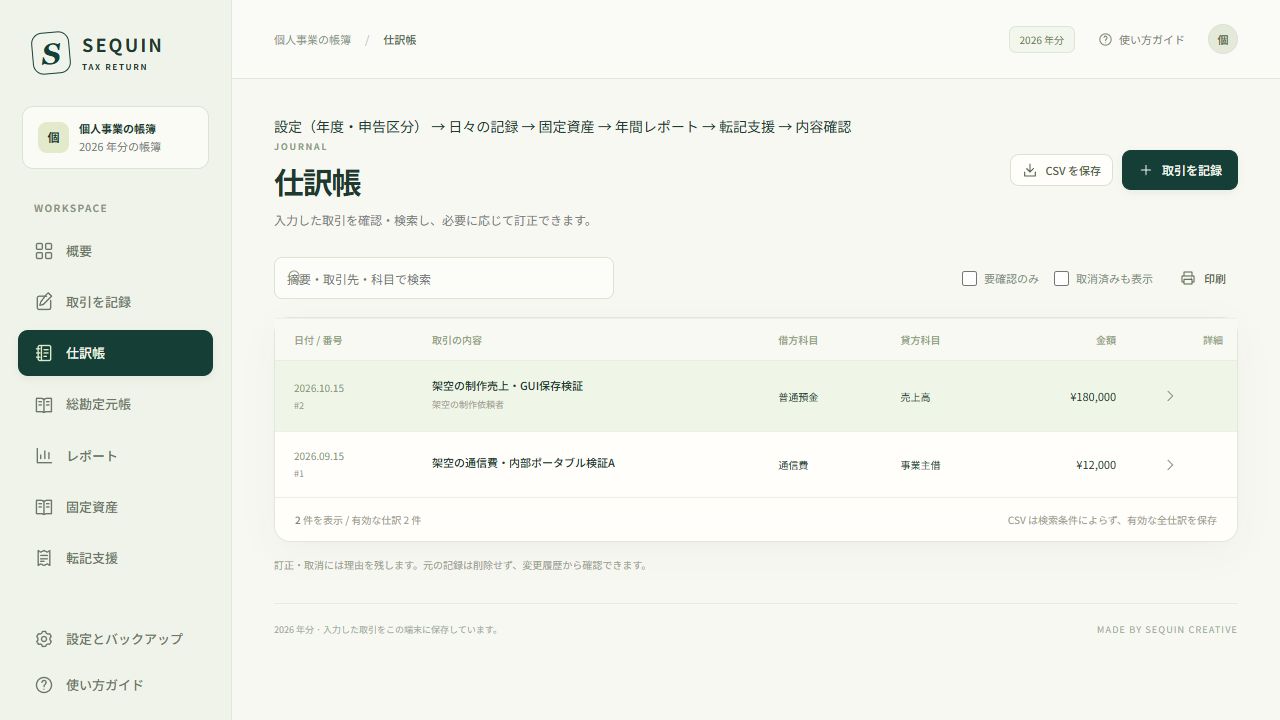
Review dates, accounts and amounts in the journal, or follow an account through the general ledger.
See profit and loss, your balance sheet and monthly totals based on the records you have entered.
NEW IN v1.1.0 RC1
Register and edit assets, retain correction/deletion history and export the register. Asset registration and depreciation calculations do not automatically create journal entries.
For selected ordinary equipment purchases: 2026, straight-line depreciation, useful lives of 4, 6 or 10 years, a constant business-use percentage and integer-yen results. Check the classification, useful life, method, opening value and applicable conditions yourself.
Review ledger amounts and supporting entries against candidate fields of the general blue-return statement. This is a bookkeeping reference, not a completed official filing document. Final transfer amounts remain unverified.
Not supported: special allowances, declining-balance methods, used assets, private-to-business transfers, disposal-year calculations, uncertain fractional-yen rounding, or calculations for 2027.
LOCAL FIRST
Bookkeeping data is stored in your Windows user data folder. Everyday use does not depend on cloud accounting or a monthly plan. Keep regular backups somewhere safe.
If its private Python runtime is missing, first launch downloads approximately 11 MB from the official Python website and needs extra extraction space. After setup, bookkeeping and licence verification take place locally. No manual Python installation is required.
LICENSE
The purchased licence key is checked locally by the app. Keep your key and purchase details safe. The app does not bind this licence to a hardware identifier.
No subscription.
Keep your licence key and purchase information. The existing licence format is retained; this update does not issue a replacement key. Existing direct-store customers can use their original delivery link or contact support.
REQUIREMENTS
BEFORE YOU BUY
Transaction entry and saving; double-entry journals, general ledger and summaries; fixed-asset register, limited depreciation and provisional transfer references; CSV export, printing, correction history, backup and restore.
No guaranteed tax accuracy, tax advice, deduction-eligibility guarantee, automatic completion of official returns, e-Tax transmission, filing on your behalf or guaranteed tax-office acceptance.
Full formal validation of all 2026 tax rules is not complete. Provisional transfer references are separate from official filing documents. Verify tax treatment and final transfer amounts with appropriate sources or a qualified professional.
Make room for a simpler bookkeeping habit.
Local records. Clear books. One-time purchase.
itch.ioUS$5BOOTH¥800One-time purchase
Displayed prices include applicable indirect tax. Confirm the currency and total at checkout.