OFFLINE AI SUBTITLE TRANSLATION

SEQUIN TRANSLATE

Translate Subtitles. Keep the Timing.

Offline AI subtitle translation for SRT and VTT. Translate, edit, and export. No cloud. No subscription.

Windows / AndroidSRT / VTTv0.1.0

Each OS edition: ¥980 / US$5 · One-time purchase

Explore the app

Translate existing subtitle files. Audio transcription and video editing are not included.
SEQUIN TRANSLATE A and 文 exchange icon

SUBTITLES, IN VIEW

Your words change. Your timing stays.

Actual v0.1.0 screens, using fictional subtitles. Review the original and translation, then export the subtitle file. Click any image to view it at full size.
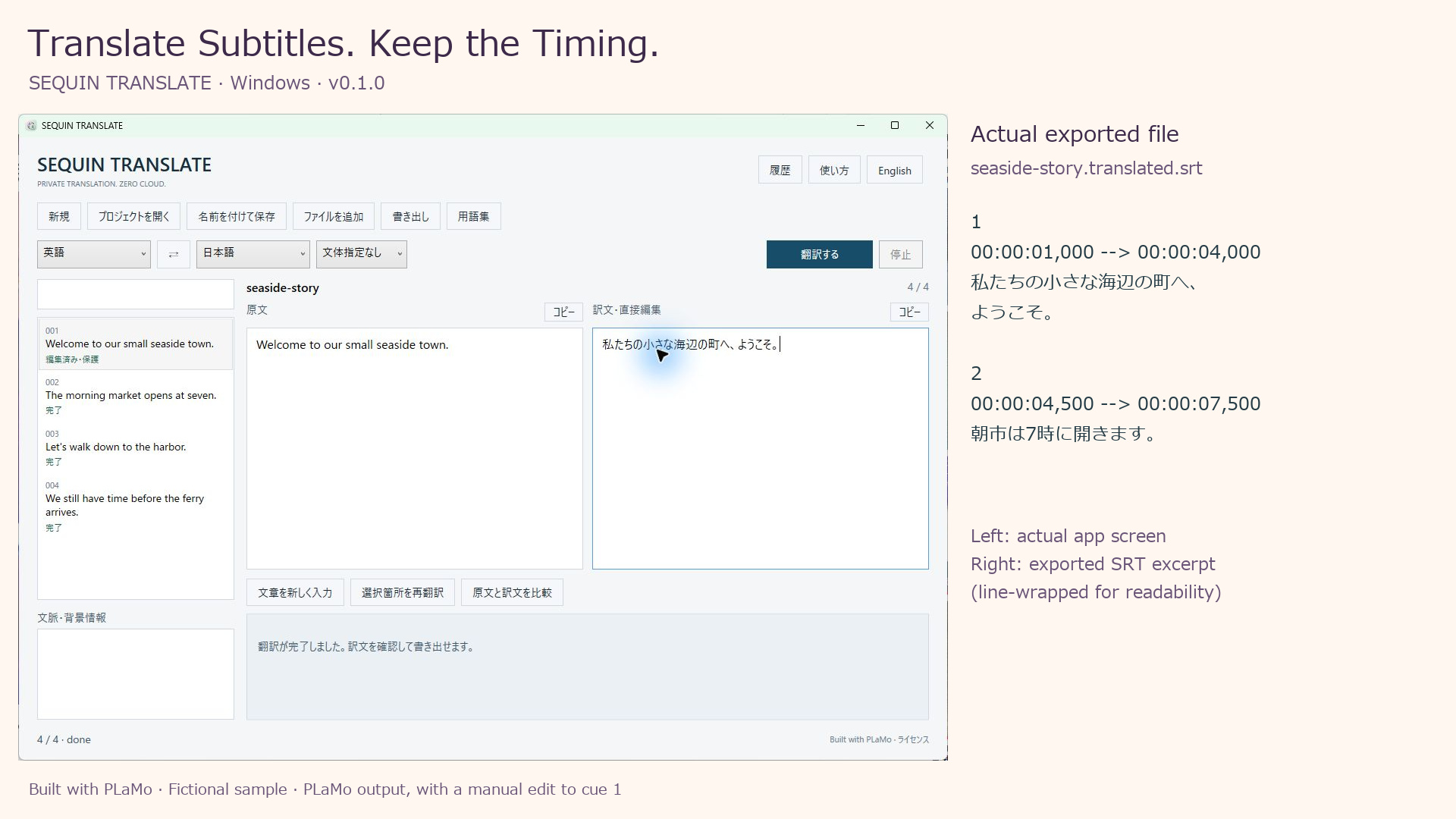
01 / Actual Windows app on the left; exported SRT excerpt on the right. Cue 1 was manually edited. Timecodes are retained in the exported file.

IMPORT → TRANSLATE → EDIT → EXPORT

From subtitle file to finished translation.

01

Import

Open SRT or VTT subtitle files.

02

Translate

Translate subtitle text with the bundled local model.

03

Edit

Review each cue and edit its translation. Save your project to resume later.

04

Export

Export subtitles with numbering, order and timecodes preserved.
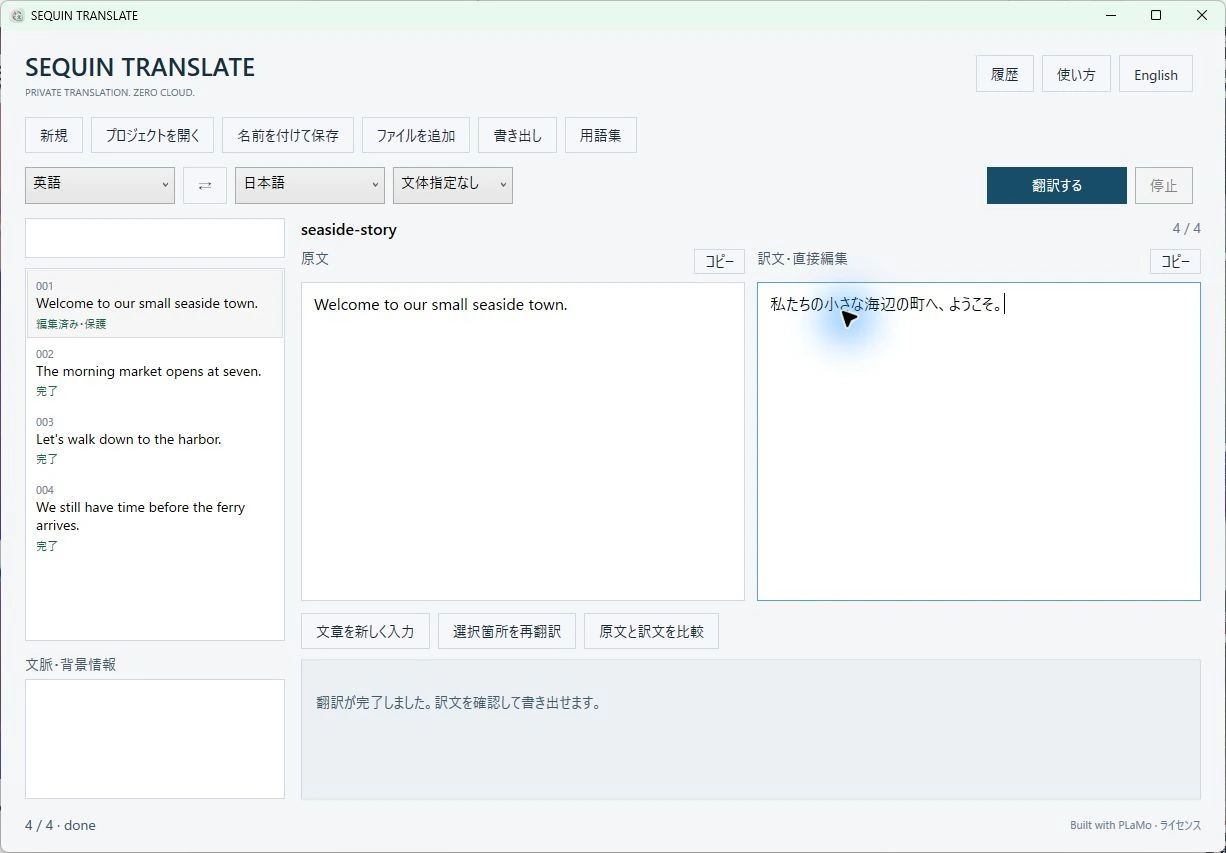
02 / Windows: select a translated cue and edit its text.
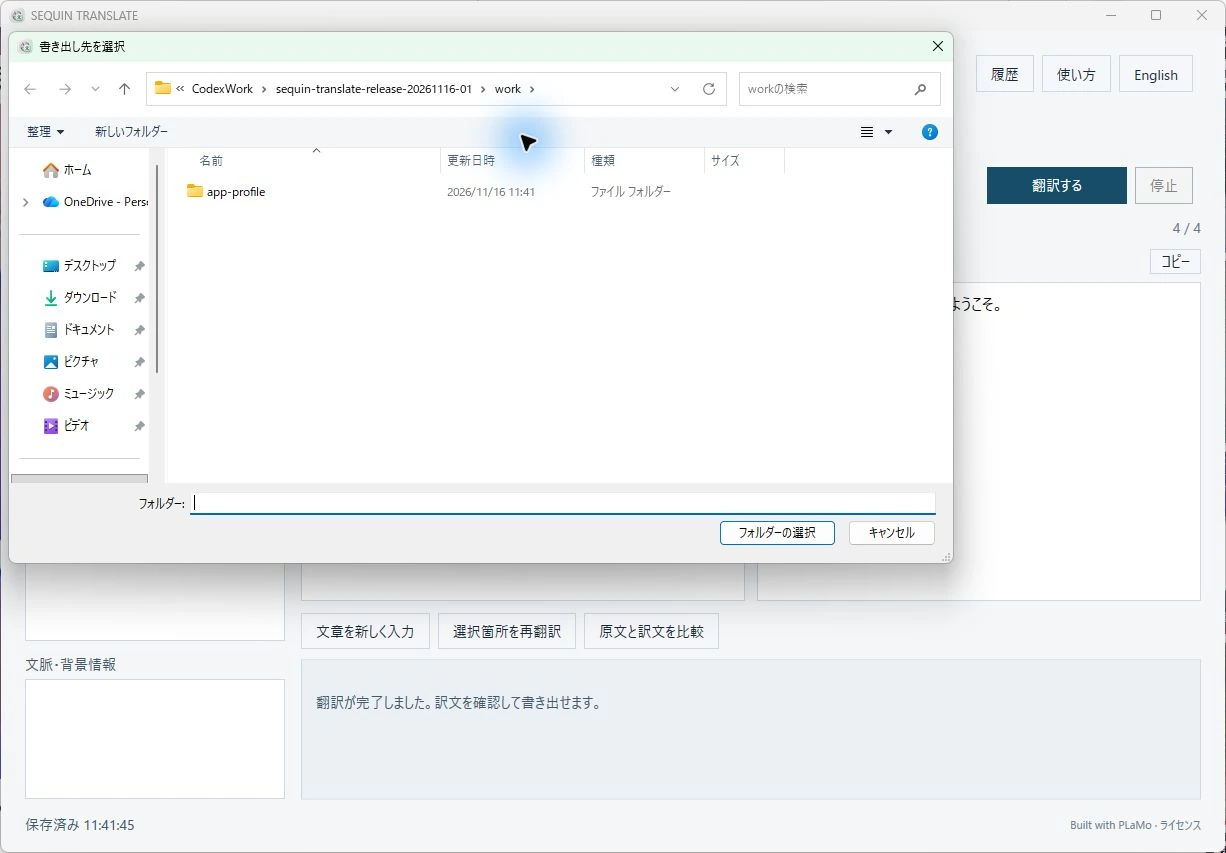
03 / Windows: choose the destination for exported subtitle files.

FULLY LOCAL

Your subtitles stay on your device.

The PLaMo model comes with the app. After installation, translation works without internet access, online activation, external translation APIs or cloud inference. No translation quota, usage bill or subscription.

Keep backups of your projects and exported files. There is no automatic cloud sync.

WINDOWS + ANDROID

At your desk. On your phone.

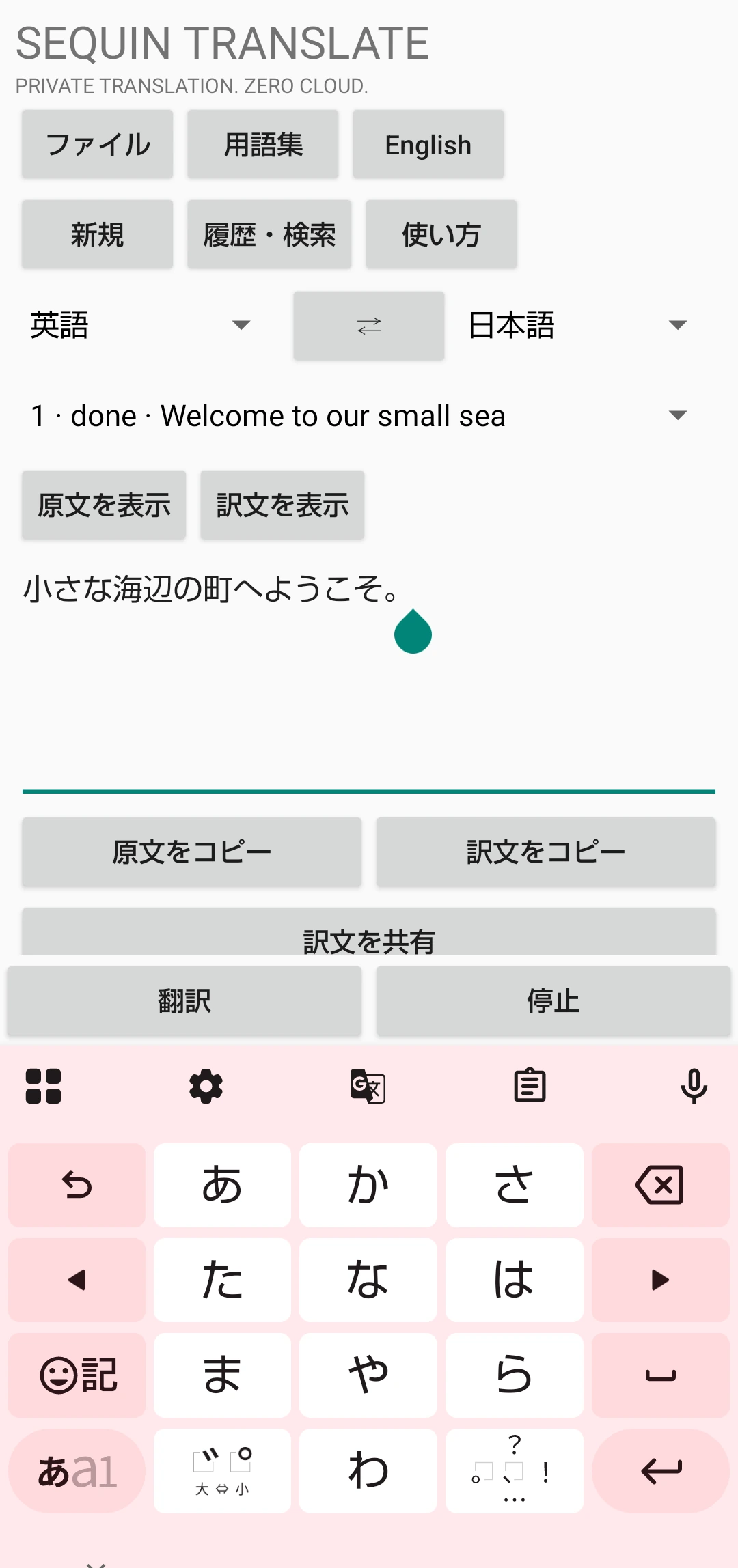
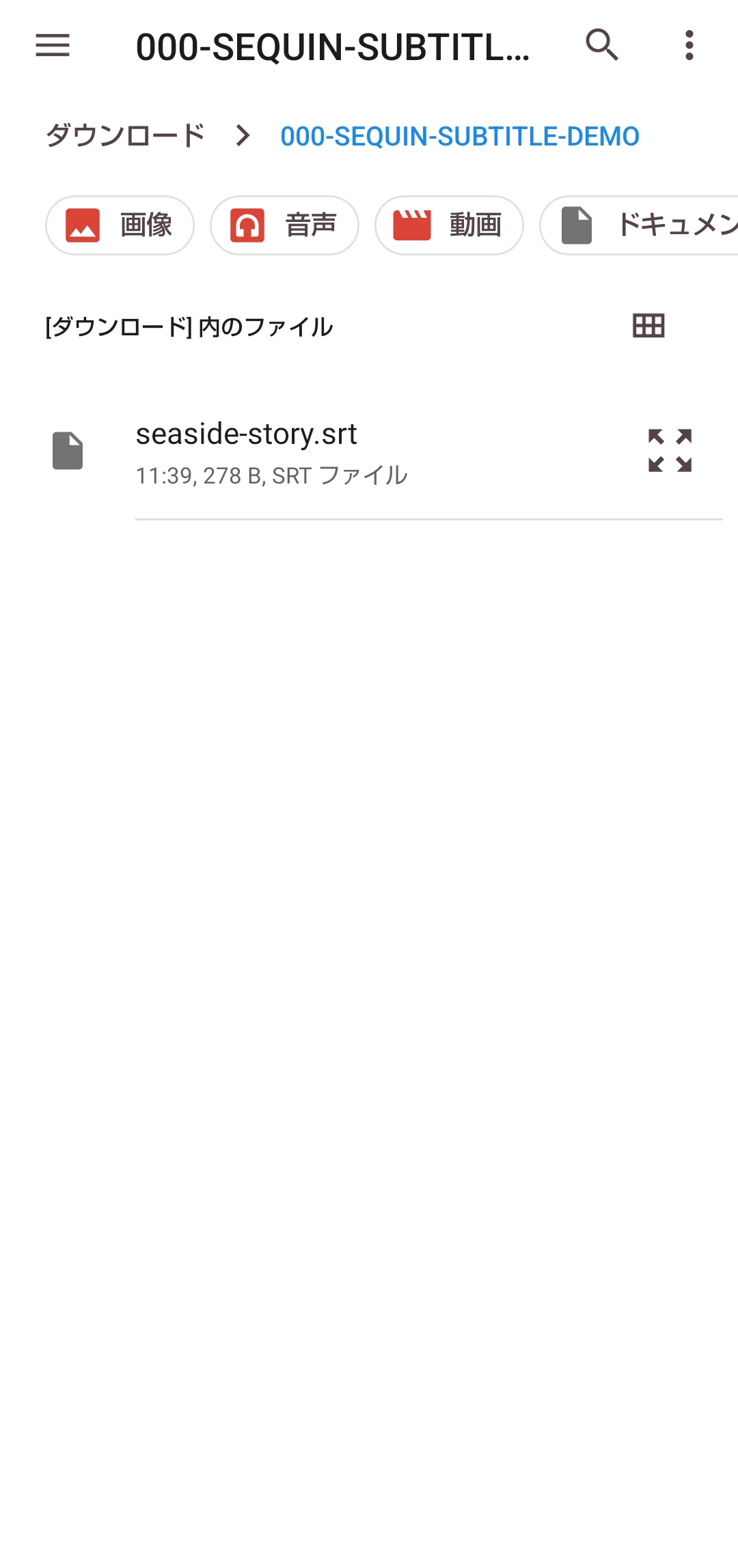
Real Android screens from the accepted SH-RM19 device. Compatibility and speed vary by device.
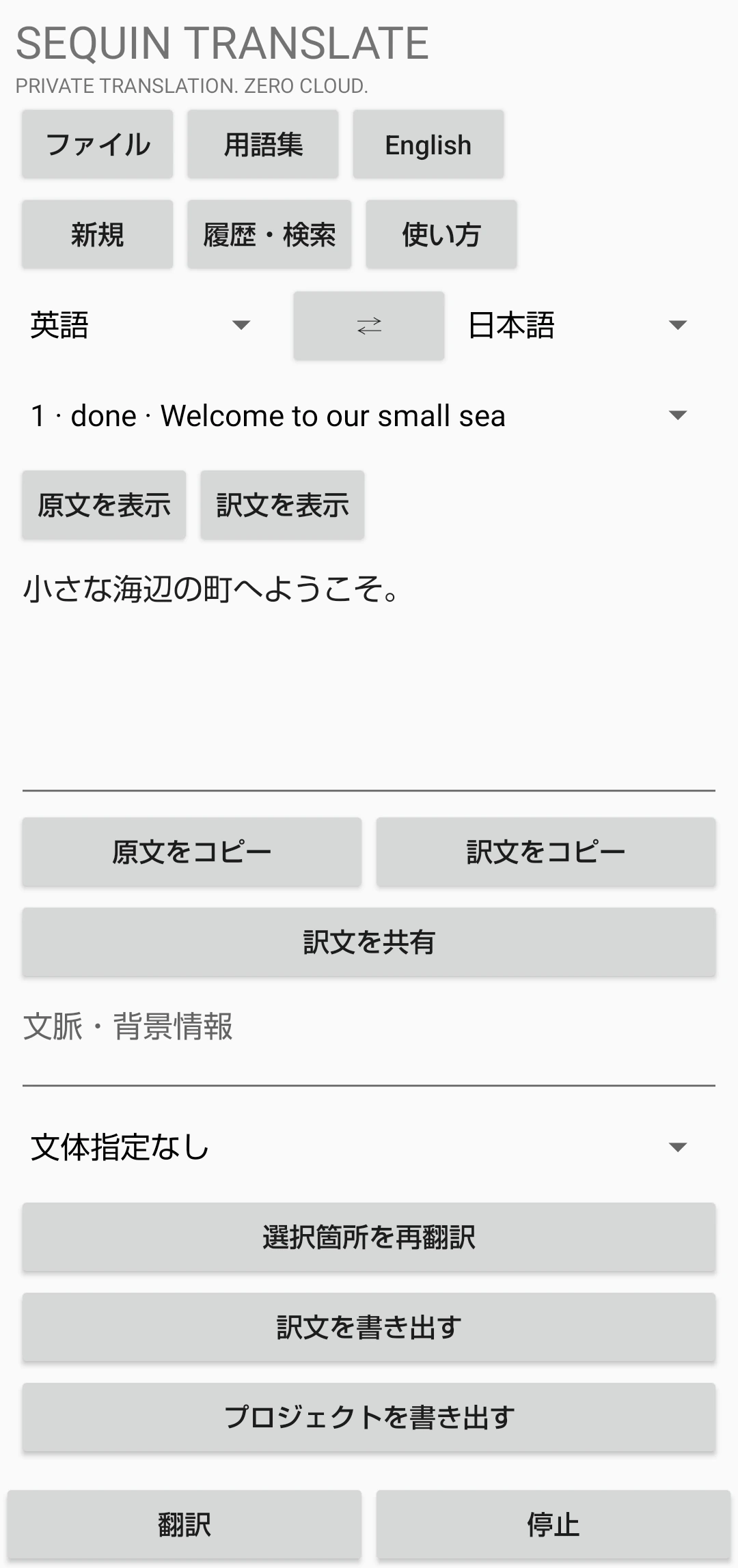
Use Windows at your desk or Android on your phone. Each edition is purchased separately. Exchange glossary CSV and project files manually between devices.

SUPPORTING YOUR WORKFLOW
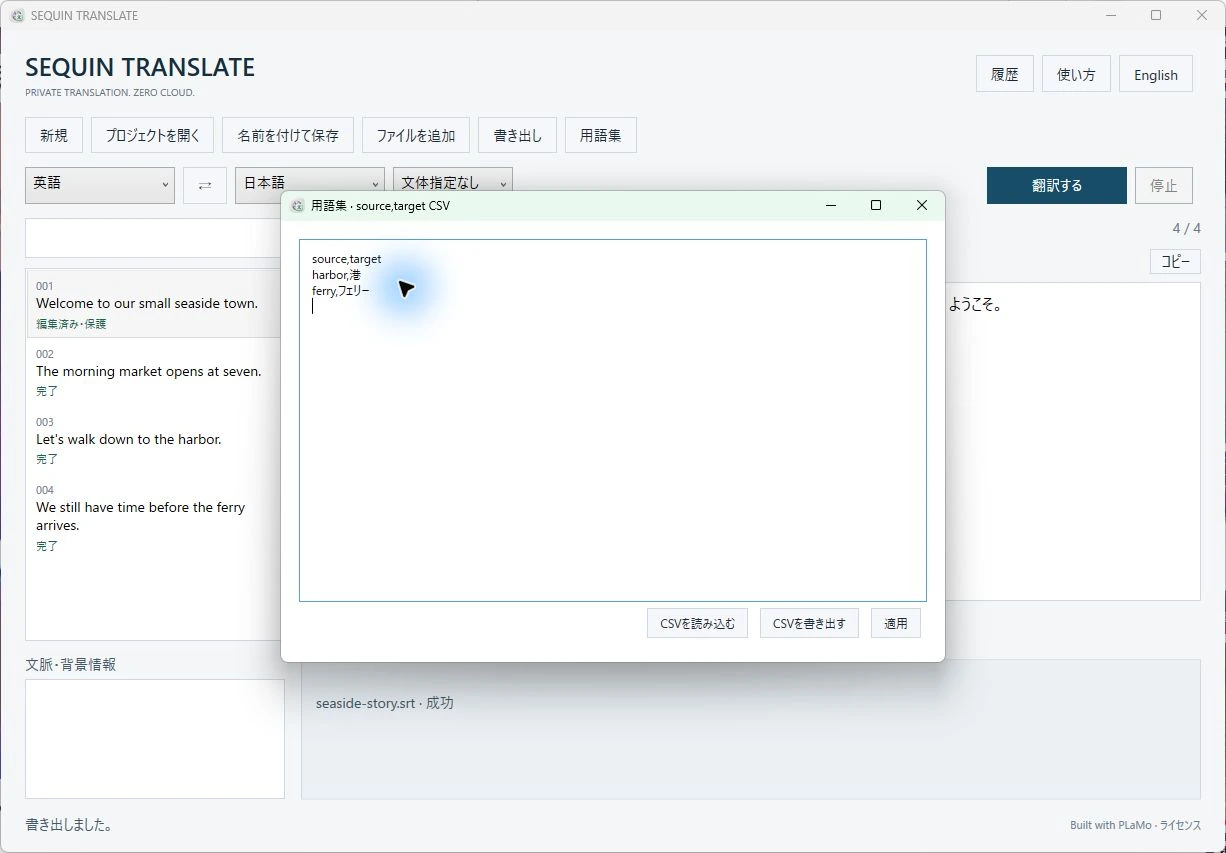
The small tools that keep work moving.

  • TXT and Markdown translation
  • Editable glossary CSV
  • Direct translation editing
  • Project save and resume
  • Copy source or translation
  • Multiple-file batch processing
04 / Windows: edit source,target glossary entries for your subtitle project.

REQUIREMENTS

Check your setup before you buy.

Files
SRT / WebVTT / TXT / Markdown
Windows
Windows x64. Tested: Windows 11 Home, Ryzen 7 5700X, 32 GB RAM. This is a tested configuration, not a minimum RAM specification. Not for Windows ARM, macOS or Linux.
Android
ARM64. Build minimum: Android 8. Actual acceptance: AQUOS sense6 SH-RM19, Android 13, 4 GB RAM. Not every Android device is verified.
Languages
English and Japanese UI. Quality acceptance focuses on Japanese ↔ English. The model offers 53 languages; quality is not guaranteed to be equal across all languages and domains.
Storage
Windows ZIP: 629,733,151 bytes; extracted: 727,114,455 bytes. Android APK: 563,710,546 bytes; measured app/model/test data: 568,149,504 bytes. BOOTH Android ZIP: 563,710,736 bytes.
Free space
Allow extra space for projects and exports. Android updates temporarily keep old and new packages, about 1.13 GB plus overhead; 1.5 GB free is a planning guideline, subject to Android’s storage checks.
Processing time
Large files take time. A 100-cue subtitle test took about five minutes on the tested Windows PC. Speed depends on hardware, source text and length.

This app does not transcribe audio, generate subtitles from video, edit video or burn subtitles into footage.

ONE-TIME PURCHASE

Choose the edition for your device.

Windows

¥980 / US$5

One-time purchase · Windows edition only

Extract the ZIP and run SEQUIN TRANSLATE.exe. No separate Python or GPU installation is needed.

Android

¥980 / US$5

One-time purchase · Android edition only

itch.io supplies the APK. BOOTH supplies a ZIP containing the same APK: extract it first. Open the APK on your phone and follow Android’s installation prompts. Not distributed through Google Play.

Each OS is sold separately. Download the purchased edition from the store after payment. Confirm the currency and total shown at checkout.

Built with PLaMo

A final review makes it yours.

Review negation, conditions, numbers and names before publishing translated subtitles. Glossary and style preferences are not guaranteed to be followed in every result.

The PLaMo Community License applies. Commercial/business use requires your own prior registration and eligibility under the licence. Publicly distributed output must be identified as PLaMo output. Purchasing the app does not waive these obligations.

All app screenshots are genuine v0.1.0 captures with fictional samples. Translations shown are PLaMo output, with a manual edit demonstrated in Windows cue 1.

Choose where to buy

One-time purchase · Windows edition only

BOOTH

¥980 · One-time purchase

BUY ON BOOTH

itch.io

US$5 · One-time purchase

BUY ON ITCH.IO

Each OS is sold separately. Download the purchased edition from the store after payment. Confirm the currency and total shown at checkout.

Choose where to buy

One-time purchase · Android edition only

BOOTH

¥980 · One-time purchase

BUY ON BOOTH

itch.io

US$5 · One-time purchase

BUY ON ITCH.IO

Each OS is sold separately. Download the purchased edition from the store after payment. Confirm the currency and total shown at checkout.